AI Render and AI Assistant are now available alongside a new monthly AI credit subscription, plus more engineering software news.
This is Engineering Paper, and here’s the latest design and simulation software news.
Trimble is bringing AI to its popular architectural modeling tool, SketchUp. SketchUp AI is a new subscription that will add to SketchUp two AI tools, AI Render and AI Assistant.
AI Render, as you can probably guess, is a generative AI tool that turns 3D models and text prompts into images. It was formerly available in beta by the name of SketchUp Diffusion.

AI Assistant, also unsurprisingly, is an AI chatbot for SketchUp. It provides the usual product support through a feature called AI Help, but it goes beyond that with a capability called Generate Object that turns text prompts or images into 3D models.
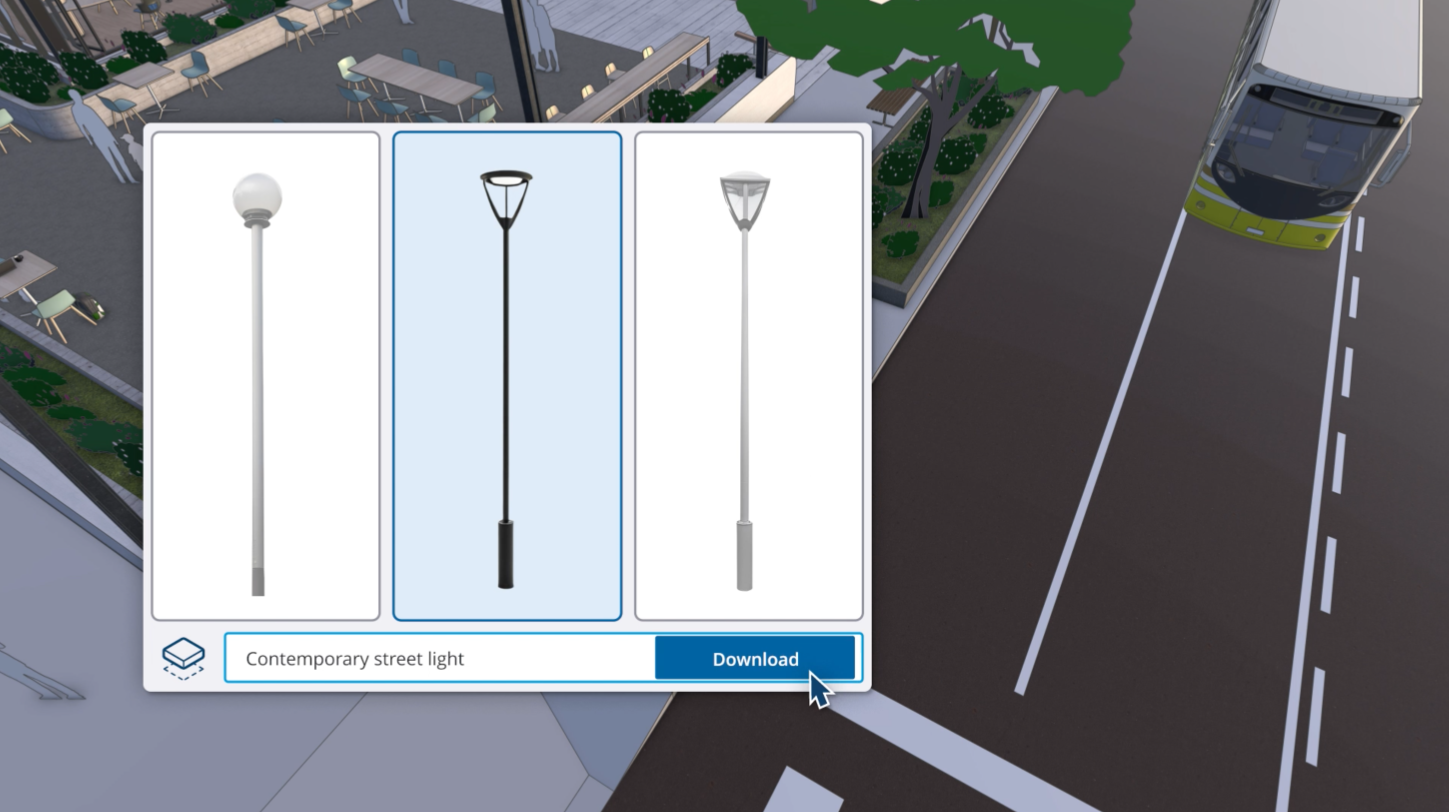
Trimble’s video demo of Generate Object is impressive, showing a text prompt generating a 3D streetlight and an image prompt generating a 3D chair. Both look realistic and are immediately ready to be placed in a design. Whether these are cherry picked examples or representative cases remains to be seen (SketchUp users, please let me know at [email protected]), but if it really works that well, I can imagine it being a popular feature.
So what does it cost? Like many other AI tools, SketchUp AI is based on a credit system. AI Render costs 5 credits, Generate Object costs 30 credits, and AI Help—the part of AI Assistant that provides product support—is free.
Each plan of SketchUp comes with some AI credits per month: Free, no credits; Go, 100 credits; Pro, 150 credits; and Studio, 200 credits per month. Users that want more can buy an add-on subscription providing 1500 credits for $11.99 per month.
PTC extends Onshape Government
Earlier this year PTC announced Onshape Government, a version of the cloud CAD platform hosted on AWS GovCloud (US) to enable compliance with regulations including ITAR and EAR.
Now, PTC has extended Onshape Government to connect with its Arena PLM platform for AWS GovCloud.
“Onshape Government established a new standard as the first fully cloud-native CAD and PDM solution designed specifically for U.S. government compliance,” said PTC’s David Katzman, executive vice president and general manager of Onshape and Arena, in the company’s press release. “With the connection to Arena PLM for AWS GovCloud, we’re giving agencies and contractors a single system that replaces fragmented, file-based tools and empowers them to manage every stage of product development in one secure environment.”

PTC’s press release is dated today (December 16, 2025), but an Onshape blog post announcing the integration dates back to September 22, 2025. Sorry to the Onshape blog readers for whom this is old news.
Propel launches DesignHub
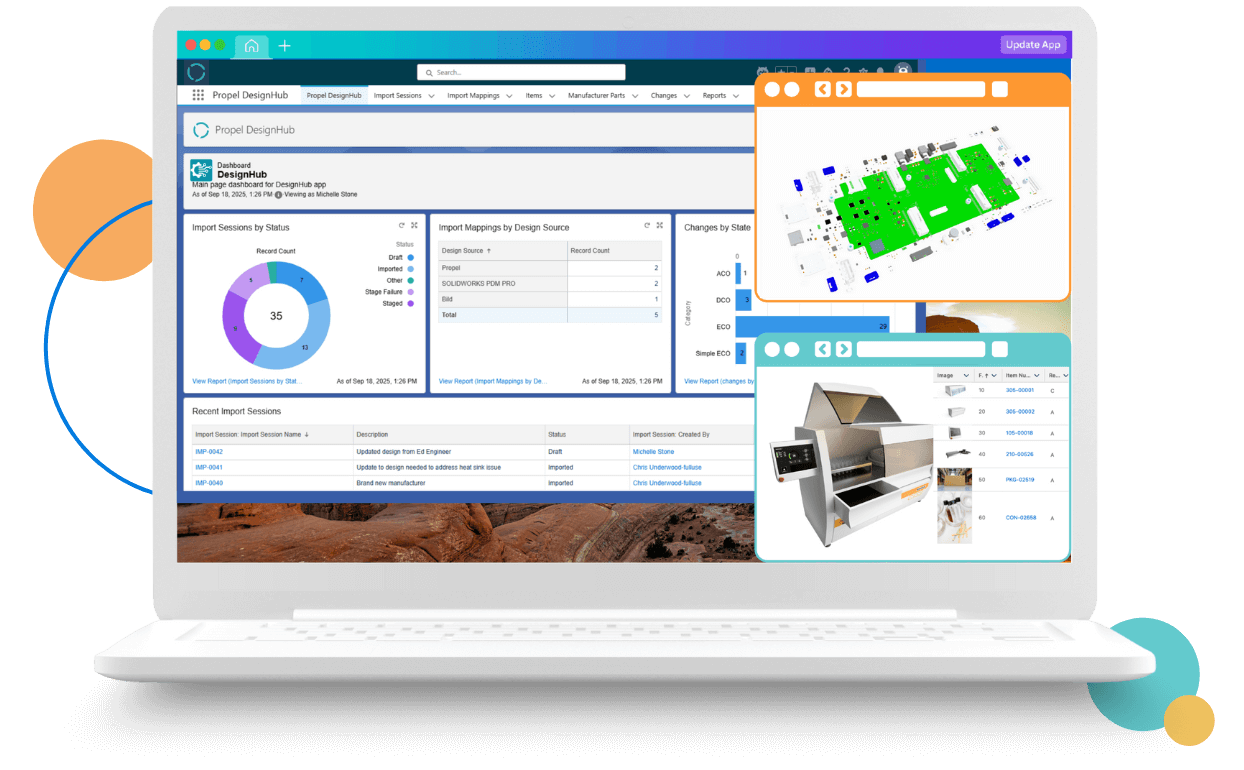
Propel Software, the developer building a Salesforce-based product value management platform, today launched a new CAD integration tool called DesignHub.
Available now as part of Propel’s winter 2026 release, DesignHub connects 16 mechanical and electrical CAD tools and PDM systems to Propel’s PLM platform, which Propel says will simplify collaboration between engineering teams.
“Most manufacturers use multiple CAD solutions, and their engineering data needs to be accessible throughout the whole product lifecycle,” said Eric Schrader, chief product officer at Propel, in the company’s announcement. “DesignHub connects these systems without the cost and complexity of traditional CAD-PLM integrations. It breaks down silos between engineering and other departments, empowering every team to make faster, better informed decisions.”
The DesignHub connections include:
- MCAD: Solidworks, Onshape, Creo, Inventor, AutoCAD, NX, Solid Edge, Catia
- ECAD: OrCAD, Altium Designer, Altium 365
- PDM: SolidWorks PDM Professional, Windchill, Autodesk Vault, Teamcenter, 3DExperience
The cost of DesignHub depends on which integrations are implemented, according to Propel. You can learn more about the new solution on the DesignHub landing page.
Comsol calls CUDA solve common sim salve in 6.4
A couple weeks ago Comsol launched the latest version of its simulation platform, Multiphysics version 6.4. I reported on the update at the time, but I’ve since had a chance to dig deeper with Bjorn Sjodin, Comsol’s senior VP of product management.
Sjodin told me about his favorite features of the new release, why users can expect faster simulation runtimes (hint in the heading), and what he sees as the biggest simulation trends to watch in 2026.
You can read the details from that interview in The 4 biggest updates in Comsol Multiphysics 6.4.
One last link
Who doesn’t like a good annual wrap-up listicle? Here’s one from Design World editor-in-chief Rachael Pasini: 10 top Design World stories in 2025.
Got news, tips, comments, or complaints? Send them my way: [email protected].